 Image 1 of 1
Ambient Atelier Intro — Free Ambient Performance Template
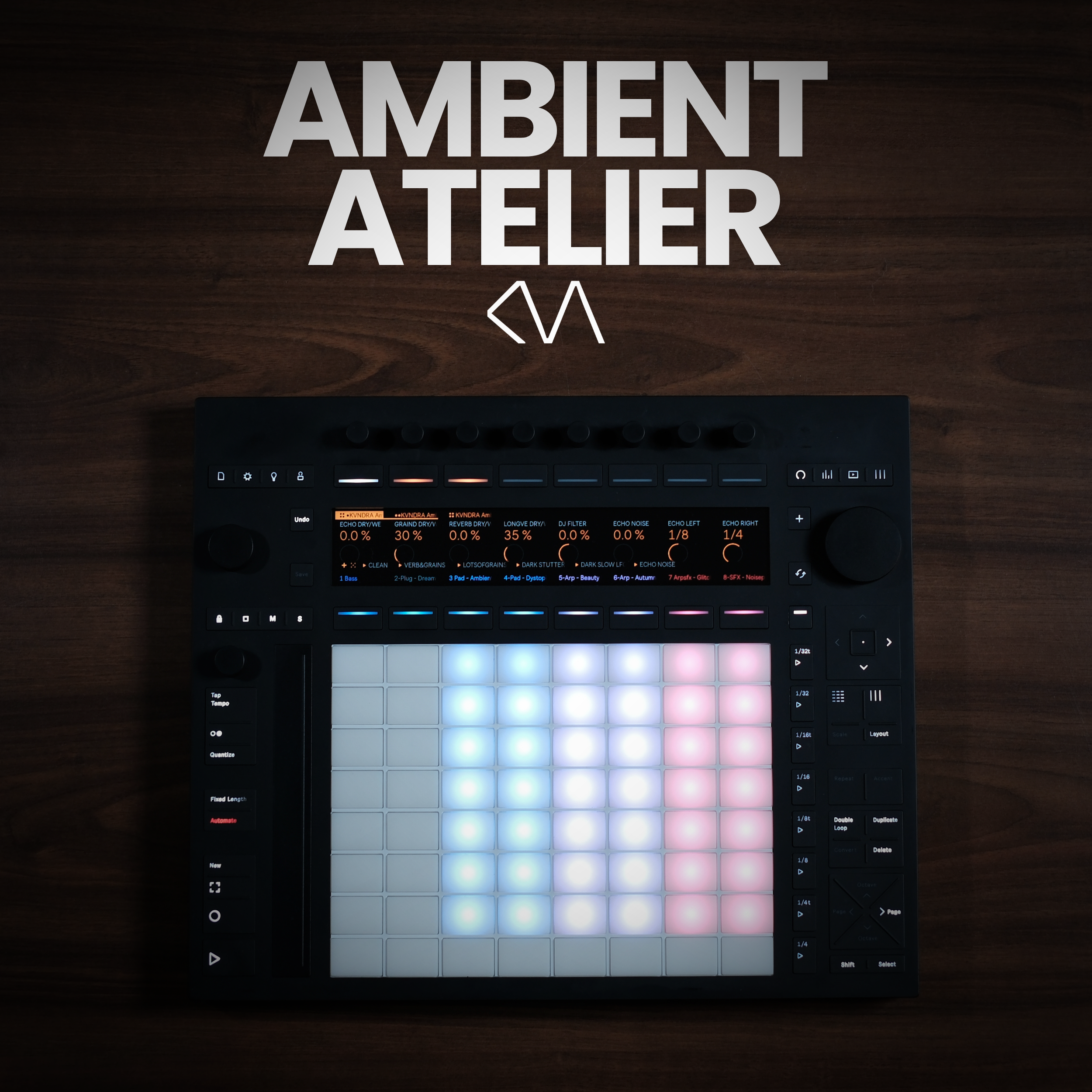
See Ambient Atelier Intro in Action
Two short clips that give you an idea of what’s doable with even the intro version of Ambient Atelier. The 3 LFOs are not included in the project - but shows you what’s possible with the Performance FX Rack of Ambient Atelier Intro:
At its core, Ambient Atelier Intro ships with four sounds:
1x Bass (playable)
1x Arp (playable)
1x Sound FX texture (audio sample)
1x Pad (audio sample)
Bass and Arp are built on the Drift synthesizer. They are adapted versions of the sounds in the full Ambient Atelier, reworked so they run in every edition of Ableton Live. Each comes with four macros and three presets, stored as snapshots. The Arp runs through Ableton's Arpeggiator, so you can hold a chord and play it live. The Noisepad and the Chant pad are audio recordings of two instruments from the full version, and the three scenes are taken from Ambient Atelier 1.1 — hit play in any scene and all four sounds play together.
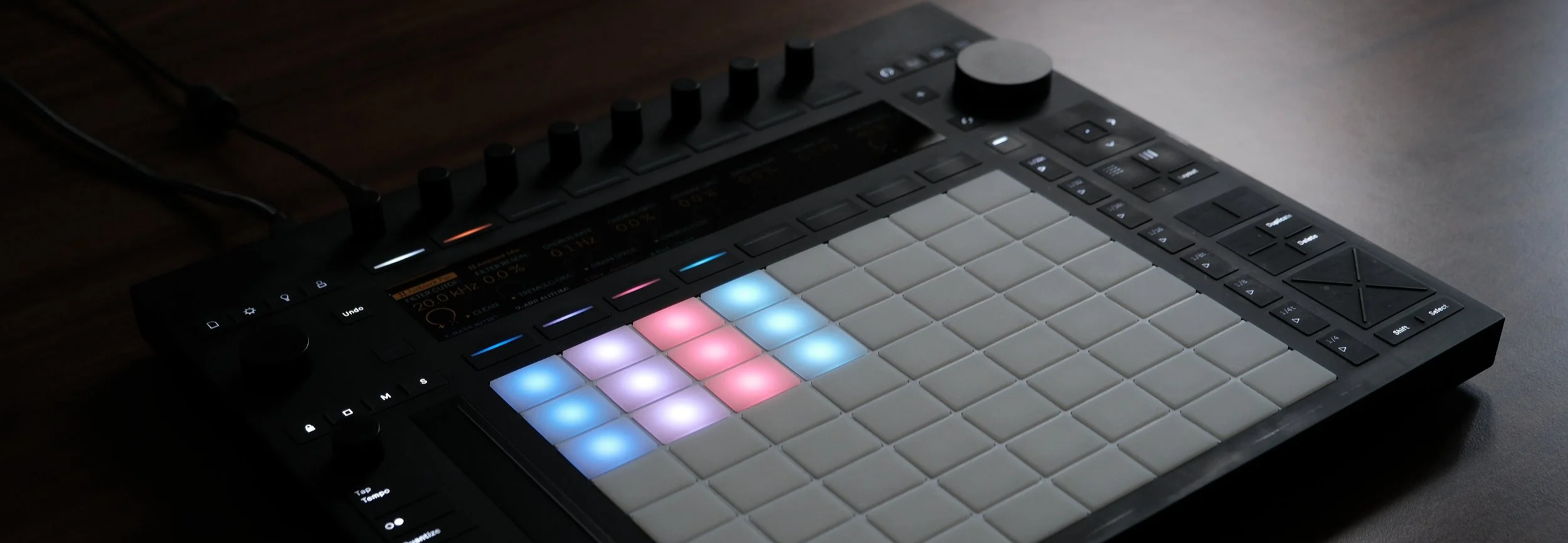
The Main channel carries the new, simplified Ambient Performance FX Intro rack with 8 macros — a filter, Chorus, Grain Delay, Erosion, Tremolo and Reverb, all built only from effects that ship with Live Intro — plus four snapshots.
The Ambient Mastering Rack Intro keeps the levels of all channels in check without over-compressing the signal. The template's default key is C Phrygian and the default tempo is 80 BPM.
The Idea Behind the Product
Most of the questions I get about my ambient sets aren't about a single sound — they're about how the whole set is built. Ambient Atelier Intro is my answer - and it is completely free: a set you can open, play and take apart, no matter which edition of Ableton Live you own.
Ambient Atelier Intro is built for beginners first, as it’s a slimmed down version of the paid Ambient Atelier version. Each instrument has just four macros, so you can shape the sound without getting lost in parameters. And you can't break anything: every instrument has a "DEFAULT" snapshot that snaps it straight back to its original tone, and the Performance FX Rack on the Main channel comes with a "CLEAN" snapshot that switches the effects off — but keeps a bit of reverb, because ambient needs space.
Use the Mixing page on Push or the faders in Session View in Ableton Live to fade channels in and out — and record automation while you do it. Every sound runs through the same effect rack on the Main channel, so everything sits in one even, cohesive space that you reshape live with the 8 macros.
TL;DR: the idea of Ambient Atelier Intro is exploration. Load it, play it, fade sounds in and out, turn the macros, and build long, evolving textures.
Requirements
You need either:
✅ Ableton Push 3 Standalone
✅ Ableton Live 12.4 or higher - Intro, Standard or Suite
✅ If used with Ableton Live, you can also use the controller version of Push 3, Push 1 & 2, and many other MIDI controllers
🚫 No third-party plugins required
🚫 No Max4Live devices needed
All sounds are licensed for personal and commercial use — see the Licence Agreement.
FAQ
-
No — you only need one or the other. Ambient Atelier Intro works on Push 3 Standalone or inside Ableton Live 12 (Intro, Standard or Suite). Run it on the hardware without a laptop, use it in the DAW, or move freely between both.
-
No — that's the whole point of the Intro version. Every device in the set ships with all editions of Live 12, so it runs in Intro, Standard and Suite (version 12.4 or higher).
-
Not at all, Ambient Atelier Intro is especially made for you. Each instrument has four macros and three presets only, to keep it simple. Plus the User Guide walks you through every sound and every knob.
-
No. Every instrument has a DEFAULT snapshot and the Performance FX Rack has a CLEAN snapshot. One tap and you're back where you started.
-
Four sounds (Bass, Arp, Noisepad, Chant pad), six sound presets, three scenes, the Ambient Performance FX Intro rack with 8 macros and four snapshots, the Ambient Mastering Rack Intro, and a User Guide as PDF.
-
C Phrygian at 80 BPM. Bass and Arp are MIDI Instruments, so you can just play them in other keys. The two pads however are audio clips: if you change the key, transpose them in the Clip View. They are warped, so they follow tempo changes — switch the warp mode to Complex Pro for fewer artifacts.
-
Yes, no catch. I’ve gotten a lot of requests from people who wanted to try Ambient Atelier but they either found it too complex or didn’t have the Ableton Live Suite version. Ambient Atelier solves both needs. And if you enjoy it and want more options, you can upgrade to the full version.
-
As mentioned in the previous question, the full version of Ambient Atelier is much more complex and features many devices that are only availabe in Live Suite.
The full version has twelve playable instruments (including four swap-ins), 40 presets, seven MIDI sequences for every instrument, a Performance FX Rack with 16 macros and ten snapshots, and the full Ambient Mastering Rack. It needs Live 12 Suite or Push 3 Standalone.
-
Install the .alp file first (double-click or drag it into Ableton Live). Then drag the whole project folder "Ambient Atelier Intro" onto your Push 3 Standalone via the browser in Live. Always copy the complete project folder, not just the .als file, so all samples transfer correctly.
-
A jam yes, but for a full live set the Intro template is a little too limited. For ambient sets the full version of Ambient Atelier is your template of choice.